
The print head should be cleaned periodically to prevent debris from building up on the print element. The required cleaning interval varies depending on the quality of the ticket stock and the amount of dust entering the print area. Excessive dirt buildup on the print head will result in reduced quality. Continuing to run the print head in a dirty condition will reduce its life expectancy, as it is unable to diffuse its heat properly.
The following must be done with the printer powered off and unplugged from the AC source.
In June of 2025 printers started to use a Head Spring Assembly. If your printer has this type of assembly, then continue. If not, then go to Cleaning the print head on a Lemur.
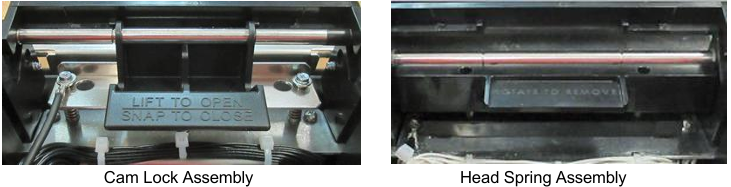
HEAD SPRING ASSEMBLY Head Spring Assembly
The thermal print head can be removed for cleaning or replacement, as follows:
- Make sure power is off and the AC cord is disconnected from the printer.
- DO NOT UNPLUG CABLE FROM PRINT HEAD.
- Push down on the Head Spring Assembly tab to disengage it from the cam shaft.
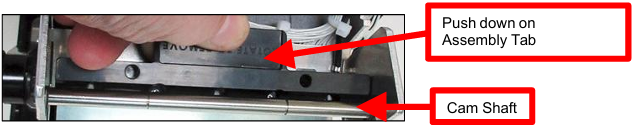
- Once the assembly is below the shaft move it backwards and remove it from print module.

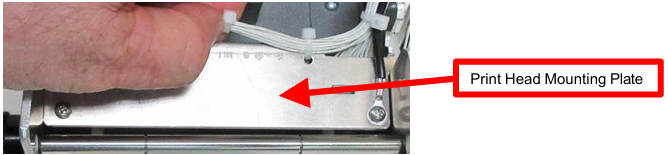
- Lift the print head mounting plate out from the print module.
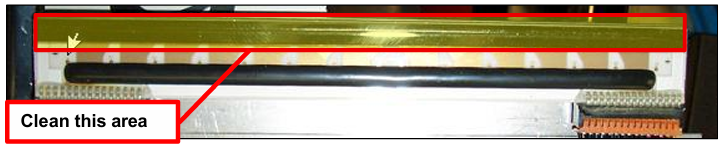
- Clean the thermal print head surface (the side that contacts the paper) with isopropyl alcohol & paper towel. See yellow highlighted area with red border.
- Install the print head mounting plate back into the print module by reversing the above procedures. Make sure the print head mounting plate tabs are in the front print cage slots.
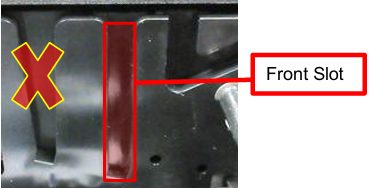
- Install the print head mounting plate back into the print module at a downward angle. Ensuring tabs are in their correct corresponding slots.
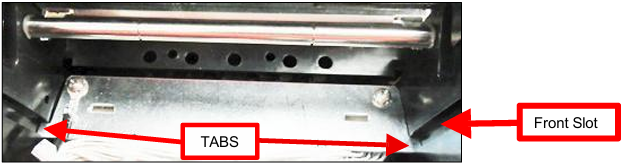
- Install the Head Spring Assembly back in place. Front Slot
Position the top recessed radius part of the assembly so it makes contact against the cam shaft. Red highlighted area in the image below.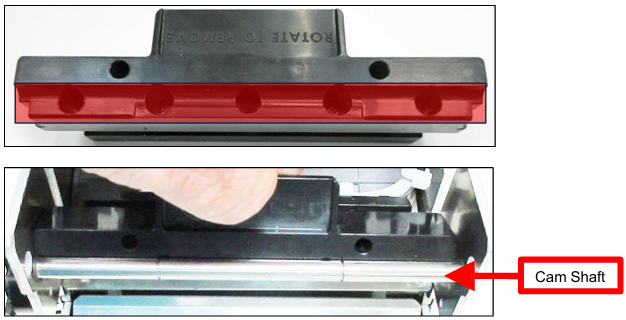
- Rotate the lower part of the assembly forward so the tabs on the lower part of the assembly engage the slots in the print head mounting plate.
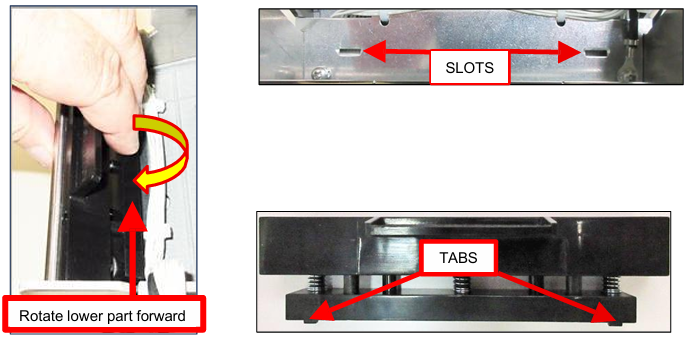
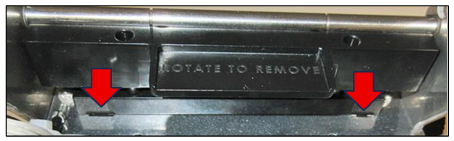
- The below image shows the Head Spring Assembly tabs locked in place. See red arrows below.
- The printer in now ready for operation. If the print quality is still poor, please create a support ticket so we can help you to resolve this.