
The Lemur series printer has several basic requirements for dispensing the media to the printer from a fanfold or roll media which include:
Align printer with media – The fanfold stack or roll media should align with the left side of printer (from where stock is loaded into the printer) to keep the media un-damaged and prevent ticket jams. Please also see the Paper guide ticket width adjustment (UPG) article.
Sample for Lemur and Lemur-K
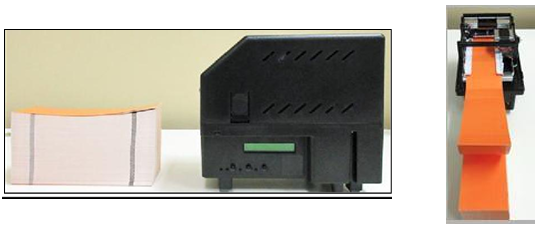
Sample for Lemur-S
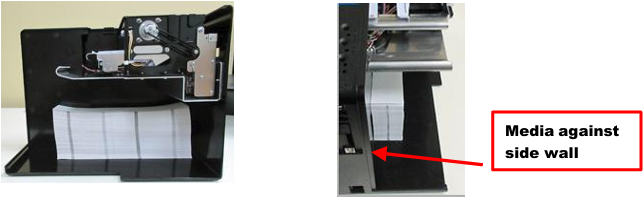
Unobstructed media feed – The media should not touch cable, other kiosk components, or surface other than the printer’s paper guide or where the media is dispensed from.
Direct sunlight, incandescent or infrared lighting or heat sources – These light sources can come from various sources, and the printer should be shielded from them. For example, exposure to direct sunlight (possibility to the location of a kiosk vent) will affect the printer’s sensors that may lead to reliability issues.
Media dispensing must be smooth and easy
- Fan-fold media must have sufficient room to unfold and not bind on media guide surfaces or at the perforations or sides.
- Roll media must be able to turn with little or no drag and allow the printer to smoothly pull media without jerking and stopping. Minimize roll to roll holder contact and avoid sharp contact surfaces.
The printer can produce a distorted print (e.g., compressed print, short receipts, etc.), motor stalls, and jamming if media dispensing to the printer if the media transition is not smooth and easy for the printer.
Fan-folded stock be fanned prior to use - This may be done by securely holding one side of the stack and fanning the other. You will want to do both sides. The fanning will help remove any paper dust or debris that may be on the ticket stock, as well as reduce the paper dust in the printer too.
Leading Edge – The leading edge (first part of the media that is loaded into the printer) must have a clean edge and be as flat as possible. Media with damaged edges and are curled upward may not feed properly through the paper path.
Media Input Aperture
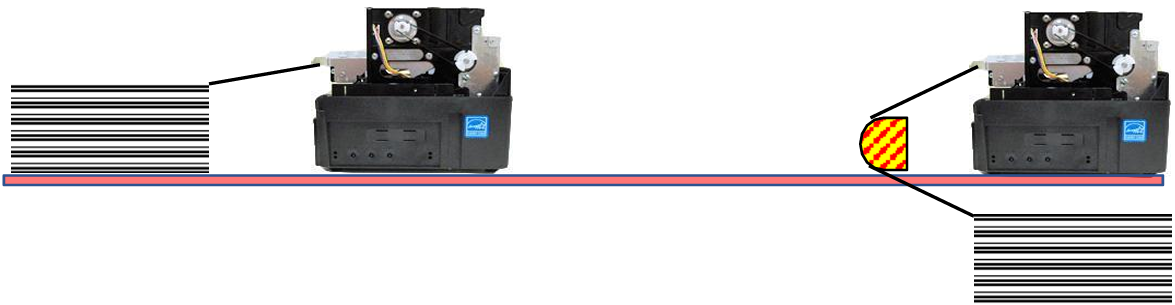
The printer has a wide aperture to support a range of media mounting locations. The media can enter the printer directly or indirectly with the addition of optional or custom-made guides. Need to have the media back far enough away to clear the cables that plug into the back of the printer.
Fan Folded Stock
Roll Stock Media
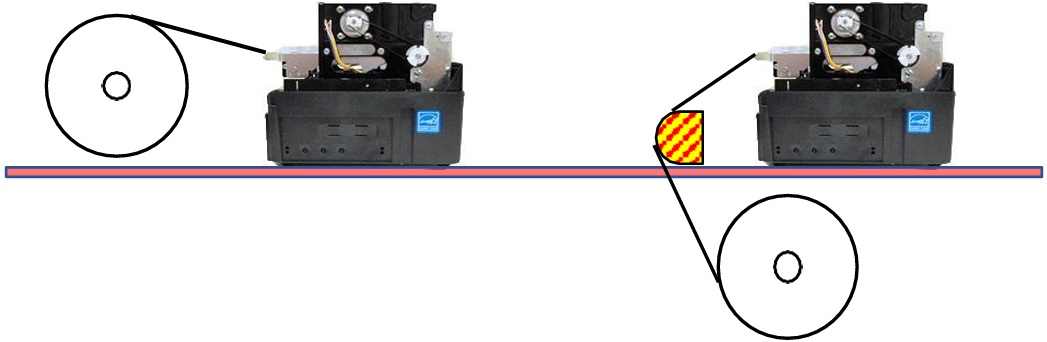
| If the supply of the media to the printer will fall below the red highlighted area shown above, |  |
| then the highlighted yellow area should have a continuous physical barrier separating the media from encountering the cabling, printer body, kiosk chassis seams, etc. |  |
Media that is on a roll, adhesive label or wristband
When feeding media into the printer the leading edge must be lying flat and not be curled downward or upwards. A downward or upward curled media may not feed properly into the printer and may lead to possible jams. If media is curled, then it will need to be flatten straight before being fed into the printer.
