
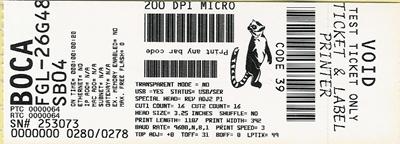
- RAW FGL – This method sends FGL software commands to the printer to arrange the data on the ticket. In this format many software providers send the data directly to the printer’s interface port. The software commands sent to the printer control the location and size of the text being printed on the ticket. With this method you would need to create a layout for 200dpi and 300dpi printer. The software application will call out the fonts that need to be printed on the ticket. The SDKs will help the developer to use send RAW FGL to the printer.
By default, our driver is expecting to have a graphic image sent to it. When the driver is in this state then any FGL commands sent through the driver will be printed on the ticket and not interpreted by the printer. If the BOCA print driver is being used it may be put in RAW mode to pass the FGL data through (this is controlled by the ticketing software) and not interpret into graphic data.
WINDOWS
o The following link is a sample code found on our Sample code and SDK webpage. These sample codes review communications and handshaking between the printer and respective device. Including how to get our driver to work like a pass-through driver. For example, when you use our WINDOWS configure and test program it sends RAW FGL data to the printer via a print driver (like the sample code). Please review the Windows SDK.
o We do have some customers use the Microsoft Generic Text driver as a pass-through print driver. This driver is typically used only in older printers that do not support either FGL or PCL drivers. This driver does not support WYSIWYG, true type fonts or graphics. Additionally, Microsoft support on this driver is increasingly difficult with each version of Windows. We suggest avoiding the use of this driver whenever possible.
MacOS
o The following link is a sample code found on our Sample code and SDK webpage. These sample codes review communications and handshaking between the printer and respective device. Including how to get our driver to work like a pass-through driver. For example, when you use our MAC configure and test program it sends RAW FGL data to the printer via a print driver (like the sample code). Please review the MacOS SDK
o Unlike WINDOWS where the Microsoft Generic Text driver may be used as a pass-through driver. We are not aware of a similar driver that may be used with MAC to achieve the same results.
- WYSIWYG – What You See Is What You Get. This method uses a print driver to send data to the printer. This is like taking what is on your computer screen and printing it on a printer. Some web-based software providers would create a PDF, DOC, XLS or HTML document and send it to the printer via the print driver. Unfortunately, we don’t have firsthand knowledge of the method by which these software providers are creating said PDF or HTML files. With this method, can print to either a 200dpi or 300dpi printer using the corresponding BOCA dpi driver using the same document. The fonts needed either reside in the host computer itself or within the document being printed. These fonts do not reside in the printer itself.
o For FGL protocol we have the below print driver available for use with the BOCA printer. This driver enables the printer to be able to printer from any Microsoft and MacOS application.
- For Windows: Windows driver or Windows ARM driver
- For MacOS: MacOS driver
Note: We are aware that some software providers choose to use other print drivers with our printer.o Most software providers create the PDF, Word DOC, or HTML documents the same size as ticket size being used.
o We are aware that some software providers have had different results when printing a PDF via a web browser. This is due to the different ways each driver handles a PDF when opened using their default PDF application. For consistent printouts across different browsers may software providers use the Adobe Reader to print PDF file
Microsoft Windows Printer Drivers
Microsoft is no longer allowing the certification of new (or modified) printer drivers. They have not announced discontinuing the ability of previously certified drivers to work with Windows. However, given Microsoft’s apparent disdain for third party printer drivers, we have to assume that there will be a point at some time in the future, where the ability of third party drivers to function effectively is reduced or terminated. Whether this occurs in the next year or the next decade is beyond the ability of anyone to predict.
Historically, Microsoft has occasionally disrupted the operation of printer drivers while trying to upgrade the security of the operating system. While they have always managed to resolve these issues on subsequent revisions, this appears to be an inherent issue with the use of any third party printer drivers.
SDKs
The use of an SDK would appear to eliminate the potential disruptions, when Microsoft updates their operating systems. It also provides a way to communicate without the use of the print spooler, which has been an increasingly weak link in the printer drivers scenario.
Conclusion
Printer drivers will continue to work reliably, for as long as Microsoft allows them to operate. We would strongly recommend using SDKs for any new software development efforts.
Note: Please note that the sample codes and SDKs are supplied as is and as a service.